

Features
Keeping families informed, organised and prepared is one of the most complex parts of running a competitive cheer or dance club. SeasonSet brings it into one connected system, working alongside your club management system and group chats.
Event hubs, schedules, actions, the shop and absence requests all link together, so every family sees exactly what’s relevant to their athletes, and your team can see what’s been done at a glance.
Event hubs
Everything for each competition, in one place
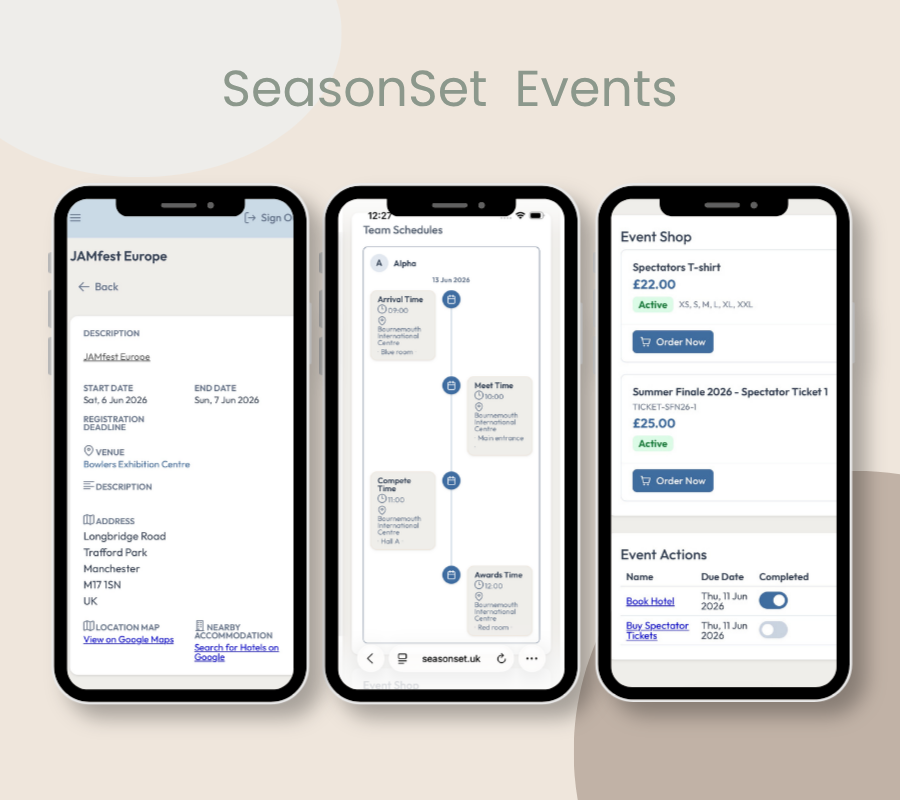
Every competition in SeasonSet has its own event hub, bringing structure to even the busiest competition weekend. This season’s competitions are already set up with venue and hotel details, so you simply link your teams, and every notification and action you send for that event appears in its hub.
Inside each event hub, families can see:
- Venue details, maps and directions
- Nearby hotel recommendations
- Their team schedules, including arrival, warm-up and compete times
- Spectator ticket information and links
- The event shop
- Actions to complete and what’s still outstanding
- Their own private notes and documents, such as hotel booking confirmations
For families with more than one athlete, or athletes on crossover teams, every time is shown in one clear chronological timeline.
Competition weekends become simpler for your families and easier to manage for your club.
Schedules
The right schedule for every family, automatically
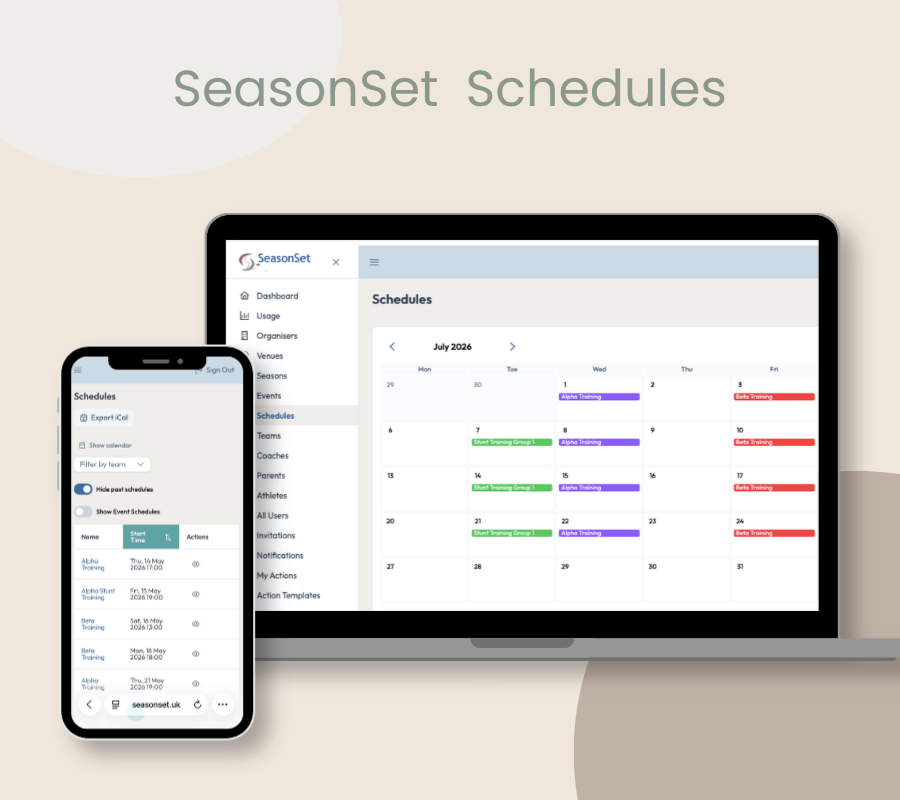
Schedules often reach families through group chats, emails and PDFs, leaving parents to work out which times apply to their child. With SeasonSet, you publish each schedule once, and every family automatically sees only the times for their athletes.
Your club can publish:
- Training schedules for each team
- Competition schedules as soon as they’re released, linked to the event hub
- Changes and updates, with a notification to the families affected
Each family sees:
- A personal training calendar showing only their athletes’ sessions
- Their athletes’ competition times, from arrival and meet to compete and awards
- Every child and crossover team together, in one chronological timeline
Families can sync their calendar to their phone and share it with other family members, so everyone knows where they need to be.
Actions
Turn club admin into clear, trackable actions
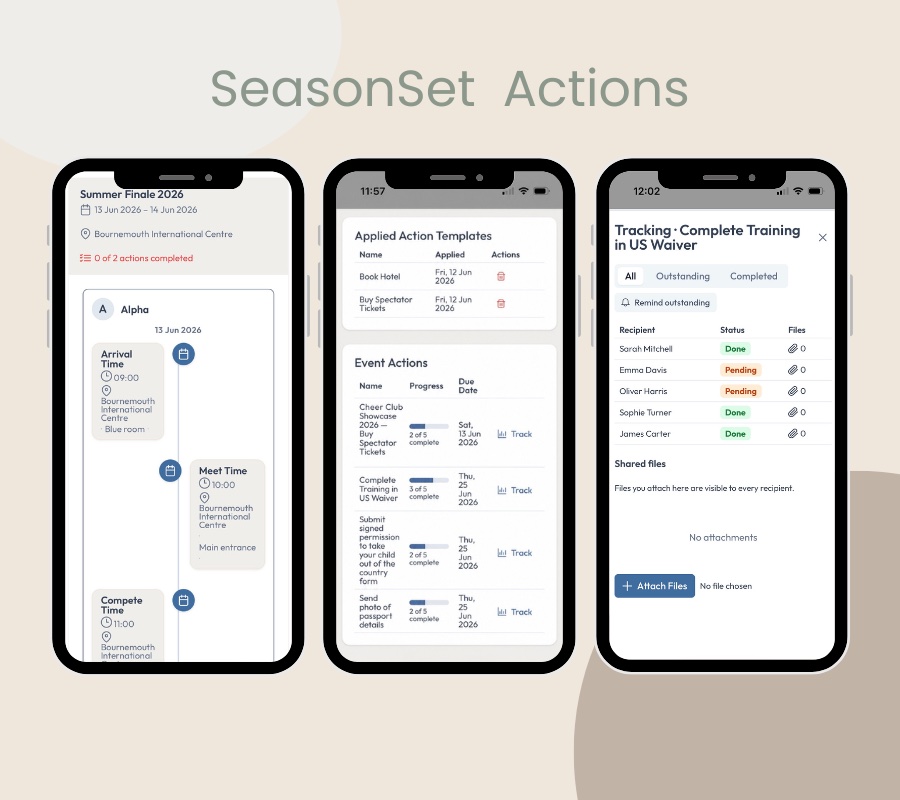
Competition season comes with a long list of things families need to do, from booking hotels and buying spectator tickets to ordering kit and returning forms. With SeasonSet, each task becomes an action linked to the right event, team and athlete, so families know exactly what they need to do and by when.
Your club can:
- Set actions for each competition, with clear due dates
- Save the actions you use every season and add them to the next event in a click
- Choose which actions to track, and see who has completed what at a glance
- Send a reminder only to those who haven’t completed an action
Each family can:
- See every action for their athletes in one list, with what’s due and when
- Find each action in its event hub, alongside everything else for that competition
- Add their own private notes and documents, such as booking confirmations
- Keep club actions alongside their own personal reminders
From kit orders and payment deadlines to hotel bookings and event forms, every competition’s to-do list stays clear and easy to follow.
Shop and orders
Everything your families need to buy, in one place
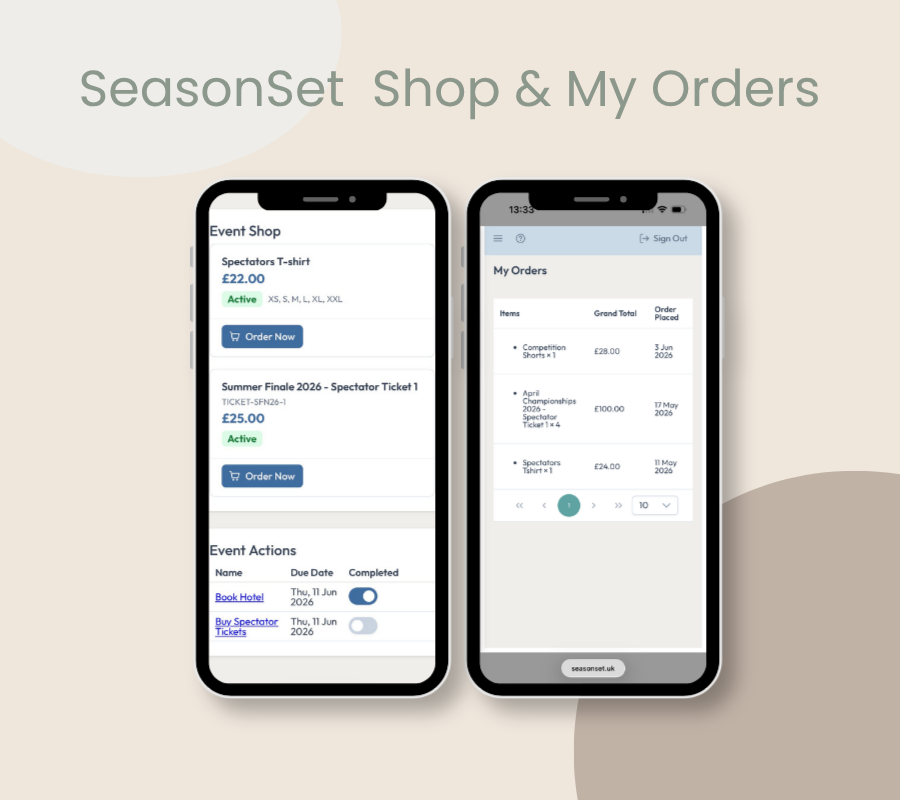
Clubs spend a lot of time answering the same questions: What did I order? What size did I choose? Has it been paid for? SeasonSet brings every club purchase together, so families can find the answers themselves.
Your club can sell:
- Spectator tickets
- Uniforms and kit
- Club merchandise
- Event-specific items, shown in that competition’s event hub
In My Orders, each family can see:
- Every current and past order
- Sizes and item details
- Payment status
Families always know what they’ve ordered and what’s still outstanding, without needing to ask the club.
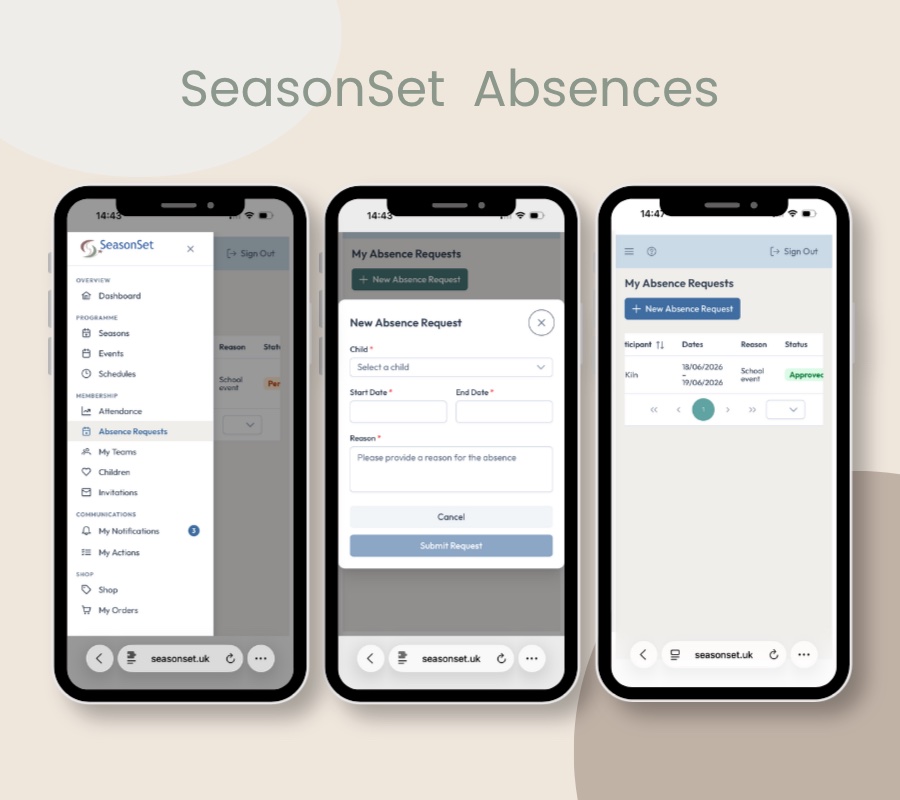
Managing absence requests can take far more time than it should, with forms to find, messages to forward and coaches to update. SeasonSet makes the process simple and clear for everyone.
How it works:
- Parents submit a request in SeasonSet, with no form to hunt for and no need to ask where to send it.
- It goes straight to the right coaches, including every coach for an athlete on crossover teams.
- Parents are notified of the decision, so there’s no need to follow up.
- The absence shows on the register. When a coach opens the register for that session, the athlete is already marked as excused, so they can plan the session before anyone arrives.
Fewer messages to forward, and no surprises on the day.